Many businesses still rely on legacy systems that have supported their operations for years. While these systems may have served their purpose well, they often struggle to meet the demands of today’s fast-paced digital environment. Slow performance, limited scalability, security vulnerabilities, and integration challenges can prevent organizations from growing efficiently.
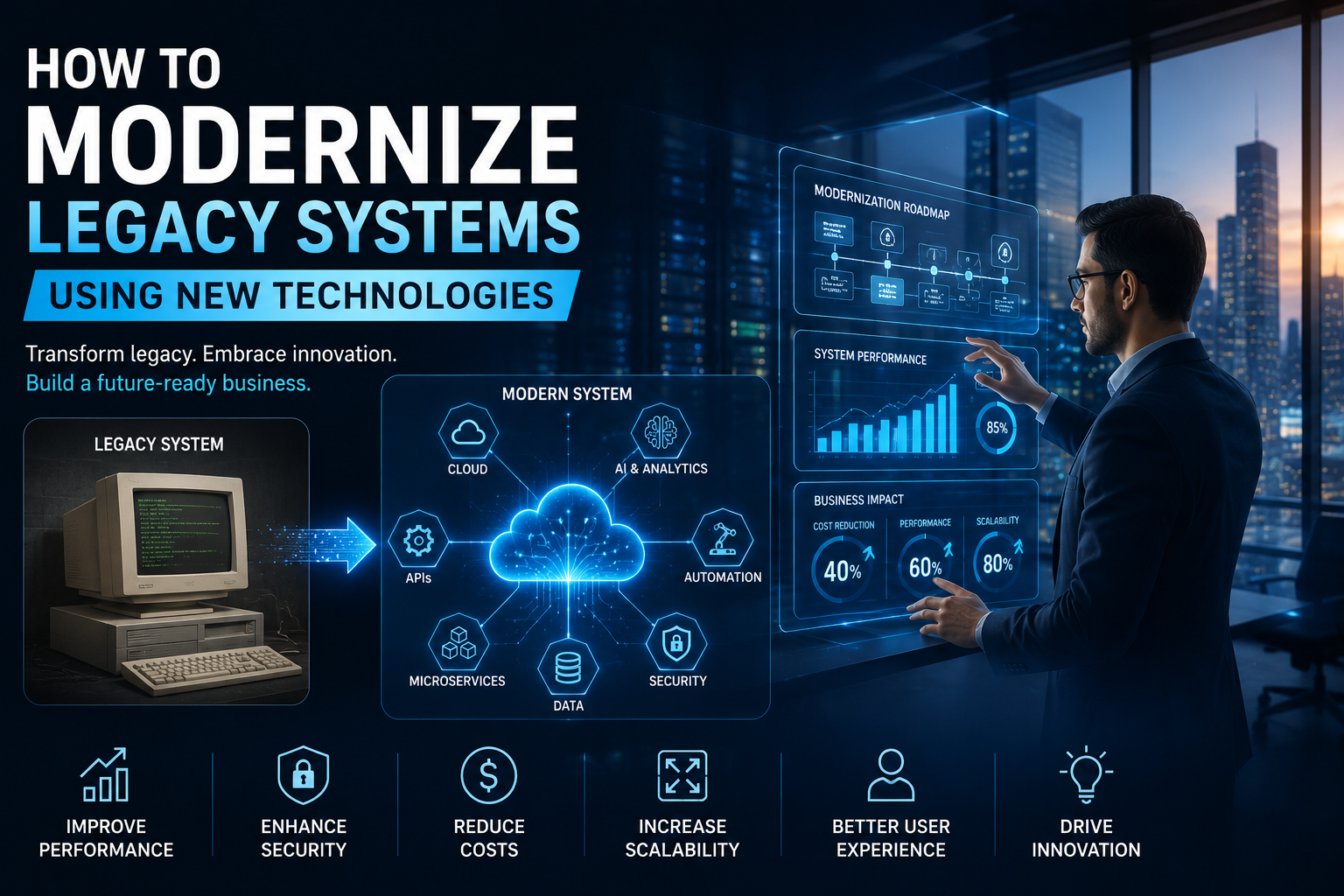
Modernizing legacy systems is no longer just an IT initiative—it’s a business strategy. By adopting technologies such as cloud computing, artificial intelligence (AI), automation, APIs, and modern software architectures, companies can improve productivity, reduce costs, and create better customer experiences without completely disrupting their operations.
In this guide, we’ll explore what legacy system modernization means, why it’s important, and how businesses can successfully transition to modern technology.
What Are Legacy Systems?
A legacy system is an older software application, hardware platform, or IT infrastructure that is still being used because it supports critical business operations.
These systems often include:
- Outdated enterprise software
- On-premise servers
- Older databases
- Monolithic applications
- Custom-built systems developed years ago
Although they continue to function, they may not support modern business requirements or integrate easily with newer technologies.
Why Legacy Systems Become a Challenge
Over time, technology evolves while legacy systems remain unchanged.
As a result, businesses often face challenges such as:
- Slow application performance
- High maintenance costs
- Limited scalability
- Poor user experience
- Security vulnerabilities
- Difficulty integrating with modern applications
- Lack of vendor support
- Reduced operational efficiency
These issues can limit innovation and make it difficult for businesses to remain competitive.
Benefits of Modernizing Legacy Systems
Improve Business Efficiency
Modern technologies automate repetitive processes and streamline workflows.
Employees spend less time dealing with outdated systems and more time focusing on high-value tasks.
Improved efficiency leads to higher productivity across departments.
Strengthen Security
Older systems often lack the latest security updates and compliance features.
Modern platforms provide:
- Advanced encryption
- Multi-factor authentication
- Identity and Access Management (IAM)
- Continuous security monitoring
- Automated threat detection
These features help protect sensitive business data from cyber threats.
Reduce Operating Costs
Maintaining outdated infrastructure can be expensive.
Legacy modernization helps businesses reduce costs by:
- Eliminating obsolete hardware
- Reducing maintenance expenses
- Lowering energy consumption
- Automating manual processes
- Optimizing cloud resources
Over time, these savings improve overall return on investment.
Increase Scalability
Modern systems can easily grow alongside your business.
Cloud-based platforms allow organizations to:
- Add users quickly
- Expand storage
- Increase computing power
- Support higher workloads
Businesses no longer need expensive hardware upgrades every time they grow.
Improve Customer Experience
Customers expect fast, reliable, and personalized digital experiences.
Modern applications enable businesses to deliver:
- Faster response times
- Mobile-friendly platforms
- Personalized services
- Better customer support
- Seamless online experiences
Satisfied customers are more likely to remain loyal and recommend your business.
Technologies Used for Legacy Modernization
Cloud Computing
Cloud migration is one of the most effective modernization strategies.
Moving applications and data to the cloud provides:
- Flexible infrastructure
- Lower IT costs
- High availability
- Disaster recovery
- Better collaboration
Cloud platforms also simplify future upgrades.
Artificial Intelligence (AI)
AI helps businesses automate processes and gain valuable insights.
Organizations use AI for:
- Customer support chatbots
- Predictive analytics
- Intelligent document processing
- Business forecasting
- Personalized customer experiences
AI improves both operational efficiency and decision-making.
Automation
Automation eliminates repetitive manual work.
Businesses commonly automate:
- Invoice processing
- Employee onboarding
- Customer communication
- Workflow approvals
- Software deployments
Automation improves speed while reducing human errors.
APIs and System Integration
Modern APIs connect legacy applications with newer platforms.
Instead of replacing every system immediately, businesses can integrate existing applications with:
- CRM software
- ERP systems
- Payment gateways
- Cloud services
- Mobile applications
This approach extends the life of valuable business systems while enabling modernization.
Microservices Architecture
Many older applications are built as large, monolithic systems.
Microservices divide applications into smaller, independent services.
Benefits include:
- Faster development
- Easier maintenance
- Better scalability
- Improved reliability
- Faster deployments
Businesses can modernize gradually instead of rebuilding everything at once.
Steps to Modernize Legacy Systems
Step 1: Evaluate Existing Systems
Begin by assessing your current technology environment.
Identify:
- Business-critical applications
- Performance issues
- Security risks
- Integration limitations
- Maintenance costs
A complete assessment helps determine modernization priorities.
Step 2: Define Business Objectives
Technology should support business goals.
Determine whether modernization aims to:
- Improve efficiency
- Reduce costs
- Enhance security
- Increase scalability
- Improve customer experience
- Accelerate innovation
Clear objectives guide the modernization strategy.
Step 3: Prioritize Applications
Not every application needs immediate replacement.
Categorize systems based on:
- Business value
- Risk level
- Technical complexity
- Maintenance requirements
Start with high-impact systems that provide the greatest business benefits.
Step 4: Choose the Right Modernization Approach
Different systems require different strategies.
Common approaches include:
Rehosting
Move applications to the cloud without significant code changes.
Refactoring
Modify application code to improve performance and scalability.
Replatforming
Upgrade the application platform while keeping core functionality.
Rebuilding
Develop a completely new application using modern technologies.
Replacing
Implement a commercial software solution instead of maintaining legacy software.
Selecting the right approach depends on business requirements, budget, and long-term goals.
Step 5: Strengthen Security
Security should be incorporated throughout the modernization process.
Implement:
- Access controls
- Encryption
- Security monitoring
- Compliance checks
- Backup and disaster recovery
Protecting business data is essential during migration.
Step 6: Train Employees
Technology adoption succeeds when employees understand how to use new systems effectively.
Provide:
- User training
- Technical documentation
- Hands-on workshops
- Ongoing support
Well-trained employees adapt more quickly to change.
Step 7: Monitor and Optimize
Modernization doesn’t end after deployment.
Continuously monitor:
- System performance
- User adoption
- Security events
- Operational efficiency
- Customer satisfaction
Regular optimization ensures long-term success.
Common Challenges During Legacy Modernization
Businesses may encounter several challenges, including:
- Data migration complexity
- Integration issues
- Budget constraints
- Downtime concerns
- Employee resistance
- Compliance requirements
Proper planning and experienced technology partners help minimize these risks.
Industries Benefiting from Legacy Modernization
Healthcare
Hospitals modernize patient management systems, electronic health records, and telemedicine platforms.
Financial Services
Banks upgrade transaction systems, improve cybersecurity, and enhance digital banking services.
Retail and E-commerce
Retailers modernize inventory systems, customer platforms, and online shopping experiences.
Manufacturing
Manufacturers integrate IoT devices, automation, and predictive maintenance into existing operations.
Logistics
Logistics companies modernize shipment tracking, fleet management, and warehouse systems for greater efficiency.
Why Businesses Choose Kridyx Infotech
Modernizing legacy systems requires technical expertise, careful planning, and a deep understanding of business processes.
Kridyx Infotech helps organizations transform outdated technology into secure, scalable, and future-ready digital solutions.
The company specializes in:
- Legacy application modernization
- Custom software development
- Cloud migration services
- AI-powered business solutions
- DevOps implementation
- Digital transformation consulting
- Data engineering
- Cloud security
- IT consulting services
By combining modern technologies with proven implementation strategies, Kridyx Infotech helps businesses reduce operational costs, improve system performance, and accelerate digital transformation.
Whether you’re upgrading existing software or migrating complex enterprise applications to the cloud, Kridyx Infotech delivers tailored solutions that support long-term business growth.
Final Thoughts
Legacy systems may have supported your business for years, but they should not limit future growth. Modernizing outdated applications and infrastructure allows organizations to improve efficiency, strengthen security, reduce costs, and deliver better customer experiences.
The key to successful modernization is choosing the right strategy, adopting the right technologies, and partnering with experienced professionals who understand both technology and business objectives.
With expertise in cloud computing, AI, software development, and digital transformation, Kridyx Infotech helps businesses confidently modernize legacy systems and build a strong digital foundation for the future.